
Why Page Experience Is the New SEO Gold Standard
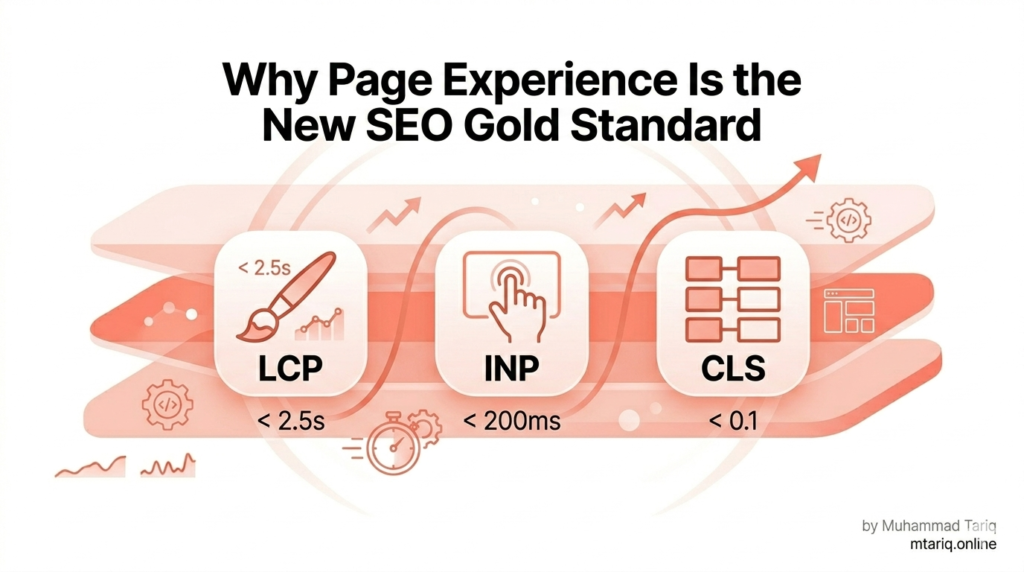
Introduction Here is a truth most WordPress site owners do not want to hear: your site might feel fast when you load it from your office in Islamabad or New York — and still be silently failing Google’s Core Web Vitals assessment for 75% of real-world users. In 2024, Google completed its full transition to page experience as a ranking signal. In 2025, it replaced the old FID (First Input Delay) metric with the far more demanding INP (Interaction to Next Paint). As we move through 2026, the bar has risen again: Google no longer simply asks “is your site fast?” — it asks “is the entire journey seamless?” The problem is that most WordPress sites fail Core Web Vitals not because of slow hosting, but because of invisible issues: a hero image loading without a preload hint, a page layout that shifts 0.15 units after a font loads, or a checkout button that takes 280ms to respond after a click. These are fixable problems. And fixing them does not just improve your rankings — it improves the experience for every single visitor. This guide provides the complete, step-by-step framework to diagnose and fix LCP, INP, and CLS on your WordPress site. We will cover hosting bottlenecks, plugin bloat, image optimisation, JavaScript execution, and the specific plugin stack that consistently delivers the best results in 2026. Whether you scored 42 on PageSpeed Insights or 78, there is a concrete fix here for you. 🎯 Who This Guide Is ForThis guide is written for WordPress site owners, developers, and SEO professionals who want to diagnose and resolve Core Web Vitals failures themselves. Basic familiarity with WordPress admin and caching plugins is assumed. No coding expertise is required for most fixes. Understanding the 2026 Core Web Vitals Metrics LCP, CLS, and the Rise of INP (Interaction to Next Paint) Before you can fix Core Web Vitals, you need to understand precisely what you are measuring — and why each metric exists. Google’s three CWV signals each target a distinct dimension of the user experience. LCP — Largest Contentful Paint measures how quickly the most prominent visual element on a page loads. This is typically your hero image, a large headline, or a featured video thumbnail. Google’s threshold is clear: LCP must occur within 2.5 seconds of the page beginning to load. Between 2.5s and 4.0s is classified as ‘Needs Improvement.’ Above 4.0s is ‘Poor.’ A poor LCP score means visitors are staring at a partially loaded page while your competitors’ sites are already interactive. INP — Interaction to Next Paint is the most significant change to Core Web Vitals in the past two years. It replaced FID (First Input Delay) in March 2024 and is considerably harder to pass. Where FID only measured the delay before the browser began processing the first interaction, INP measures the full visual response time of every interaction on the page — taps, clicks, keyboard inputs. The target is 200ms or less. Above 500ms is ‘Poor.’ For most WordPress sites with heavy plugins, this is the hardest metric to optimise. CLS — Cumulative Layout Shift measures visual stability. It quantifies how much page content moves unexpectedly while a user is reading or interacting. The target is a CLS score of 0.1 or less. Above 0.25 is ‘Poor.’ The most common causes on WordPress sites are images without declared dimensions, embedded content, and web fonts loading after initial render. ≤ 2.5sLCP Target ≤ 200msINP Target ≤ 0.1CLS Target 75%Of visits must pass 🔬 Lab Data vs. Field Data: A Critical DistinctionPageSpeed Insights and Lighthouse show you ‘lab data’ — a simulation run in controlled conditions. But what actually affects your Google rankings is ‘field data’ from the Chrome User Experience Report (CrUX), which reflects the real experiences of real visitors over the past 28 days. A site can score 90 in Lighthouse and still fail Core Web Vitals in Google Search Console. Always check the CrUX data in GSC’s ‘Page Experience’ report, not just your Lighthouse score. One more crucial nuance: Google’s assessment is based on the 75th percentile of your visitors’ experiences. This means 75% of all page visits must meet the ‘Good’ thresholds for a page to pass. If even 26% of your visitors experience a 3.5s LCP, the entire page fails — regardless of how fast it loads for the other 74%. The Foundation — Hosting and Server-Level Fixes Why Your WordPress Hosting Is Your LCP Bottleneck Here is the uncomfortable truth about WordPress performance: if your server response time (TTFB — Time to First Byte) is poor, no front-end plugin can save you. You can install WP Rocket, compress every image, and defer every script, but if the server is taking 1.2 seconds to start sending data, your LCP will never reach ‘Good.’ TTFB (Time to First Byte) is the elapsed time between a browser requesting your page and the first byte of data arriving. Google’s threshold for ‘Good’ TTFB is 800ms or less, but top-tier managed WordPress hosts routinely achieve TTFB below 200ms. If your TTFB exceeds 600ms, address hosting before everything else. Switching to a managed host with built-in server-level caching is often the single highest-impact change a WordPress site can make for Core Web Vitals. Server Configuration Checklist • PHP version: Upgrade to PHP 8.2 or 8.3. Studies show PHP 8.2 processes requests 30-40% faster than PHP 7.4, which is still running on a significant portion of WordPress sites. Check your version in cPanel or your host’s dashboard. • HTTP/3 support: Modern browsers negotiate HTTP/3 (QUIC protocol) with compatible servers, reducing connection overhead and improving performance on mobile networks. Confirm your host supports it. • Object caching: Implement Redis or Memcached to store frequently-used database query results in memory. Without object caching, every page load triggers fresh database queries — on a busy WordPress site, this alone can add 200-400ms of server response time. •